ANDROID TO WINDOWS BARCODE SCANNER
PhoneScan2PC
Scan with your phone.
Get it on your PC. Instantly.
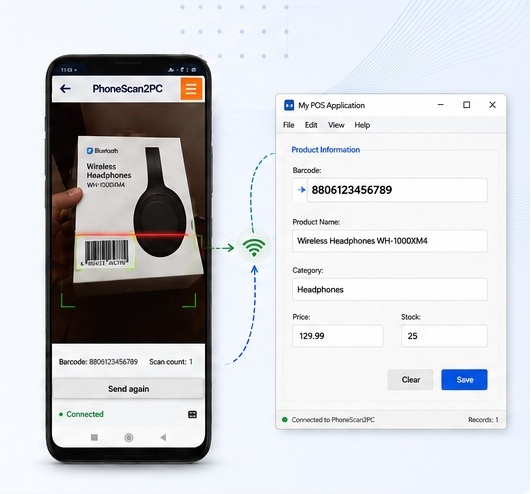
Turn your Android phone into a fast wireless barcode and QR scanner for Windows. Scan a code and send it directly to the active field on your PC in real-time — no dedicated barcode scanner required.
Real-time transfer
Instant barcode data to PC
Wi-Fi connection
Local network communication
PIN controlled
Controlled device access
How PhoneScan2PC Works
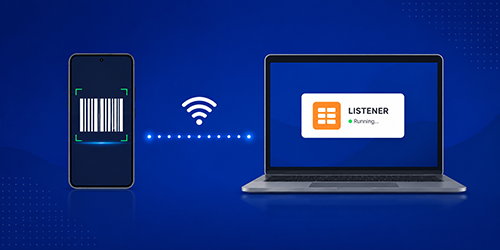
1. Start the Listener
Run the PhoneScan2PC Windows Listener and make your computer discoverable on the local network.
2. Connect your phone
Choose an available Windows Listener and enter the PIN when required.
3. Scan and send
Scan a barcode or QR code. The value is sent immediately to the active field on your Windows PC.

Scan to PC
Use your Android phone as a wireless barcode and QR scanner. Data is sent directly to the active field in your Windows application.
- Barcode & QR code scanning
- Configurable ENTER / TAB suffix
- Duplicate-scan control
- Send again without rescanning
- Server discovery and connection status
Warehouse Mode
Designed for stocktaking and warehouse workflows. Scan products, edit quantities, keep sessions organized and export the collected data when the work is complete.
- Add and edit quantity for scanned items
- Auto-select next quantity field
- Daily and saved scanning sessions
- Export warehouse data to PDF / XLSX / TXT / CSV / JSON
- Clear, review and manage collected data
Inventory without dedicated hardware
Use phones already available in your team. Configure the Windows Listener for multiple connected devices when required.
Forget Expensive Barcode Scanning Hardware
Turn the Android phones you already have into powerful wireless barcode scanners. With PhoneScan2PC, there’s no need to invest in expensive dedicated scanners, additional hardware, cables, or complex infrastructure.
Powerful Features
Fast Scanning
Optimized phone camera scanning for everyday barcode workflows.
Sessions
Keep Scan to PC and warehouse work organized.
Export Data
Export supported session data to PDF or XLSX.
Multiple Phones
Configure the Windows Listener for simultaneous clients.
PIN Protection
Use a configurable PIN to control connections.
Server Discovery
Find available Windows Listeners on the local network.
No dedicated scanner. No cables. No hassle.
Just your Android phone and your Windows PC.